
Dell P7524QT 75 Inch UHD 4K Touch Interactive Monitor
Dell P7524QT 75 Inch UHD 4K Touch Interactive Monitor
Description
Dell P7524QT 75 Inch UHD 4K Touch Interactive Monitor
Features
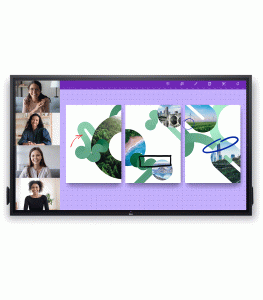
The Dell P7524QT 75 Inch UHD 4K Touch Interactive Monitor is a state-of-the-art display solution designed to enhance collaboration, presentation, and interactive experiences. Whether for educational institutions, corporate environments, or public spaces, this monitor combines stunning 4K resolution with advanced touch technology to deliver a highly engaging and productive user experience. Its large screen size, coupled with robust build quality and versatile functionality, makes the Dell P7524QT an essential tool for modern interactive applications.
Impressive Visuals
The Dell P7524QT features a 75-inch Ultra HD 4K display, offering a resolution of 3840 x 2160 pixels. This high-resolution screen provides exceptional clarity and vibrant colors, ensuring that every detail is rendered sharply and accurately. The large screen size is perfect for displaying intricate graphics, detailed presentations, and high-definition videos, making it ideal for use in classrooms, boardrooms, and interactive signage. The monitor also boasts wide viewing angles and an anti-glare coating, which enhance visibility and readability in various lighting conditions.
Advanced Touch Technology
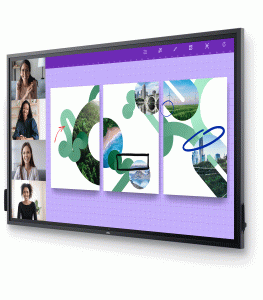
Equipped with advanced InGlass™ touch technology, the Dell P7524QT supports up to 20 simultaneous touch points. This technology delivers smooth and precise touch interactions, allowing for natural and intuitive writing, drawing, and gesturing. Whether using fingers or a stylus, users can expect accurate and responsive input, which is crucial for collaborative activities such as brainstorming sessions, interactive teaching, and digital whiteboarding. The monitor’s palm rejection feature ensures that accidental touches are ignored, enabling users to interact with confidence and precision.
Robust and Elegant Design
The Dell P7524QT is designed to be both durable and aesthetically pleasing. Its sleek, modern design features a slim bezel that maximizes the screen area, providing a more immersive viewing experience. The robust build quality ensures that the monitor can withstand the demands of high-traffic environments, making it suitable for use in busy classrooms, offices, and public spaces. Additionally, the monitor offers multiple connectivity options, including HDMI, DisplayPort, and USB-C, ensuring seamless integration with a variety of devices and systems.
Enhanced Collaboration
The interactive capabilities of the Dell P7524QT make it an excellent tool for fostering collaboration. Dell’s Interactive Touch Software provides a range of features that enhance interactive presentations and teamwork. Users can easily annotate, highlight, and manipulate content on the screen, making meetings and lessons more engaging and productive. The large screen size and multi-touch functionality allow multiple users to interact with the monitor simultaneously, promoting dynamic group activities and collaborative learning or working sessions.
Versatility Across Various Environments
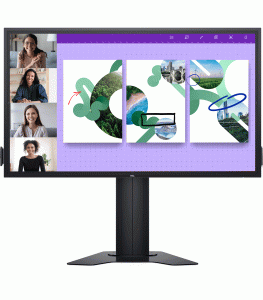
The Dell P7524QT is a versatile display solution that adapts to various use cases. In educational settings, it serves as a powerful teaching aid, enabling interactive lessons that engage students and encourage participation. In corporate environments, it enhances meeting efficiency by facilitating interactive presentations and real-time collaboration. The monitor is also well-suited for retail and public spaces, where it can be used for interactive signage, customer engagement, and information displays. Its versatility ensures that it can meet the needs of different environments where interaction and engagement are key.
Easy Setup and Management
Setting up the Dell P7524QT is straightforward thanks to its plug-and-play functionality. The monitor supports multiple mounting options, including VESA compatibility, allowing for flexible installation on walls, stands, or carts. Dell’s Display Manager software simplifies the management of the monitor, providing features such as Easy Arrange, which helps organize multiple applications on the screen for efficient multitasking. The software also offers remote management capabilities, making it easier for IT administrators to monitor and manage multiple displays across different locations.