
HP MFP M182n Color LaserJet Pro Printer
HP MFP M182n Color LaserJet Pro Printer
Description
Features
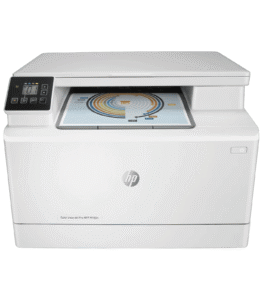
The HP MFP M182n Color LaserJet Pro Printer is a versatile and compact multifunction printer designed to meet the needs of small offices and home offices. Combining printing, scanning, copying, and faxing capabilities, this all-in-one device is engineered to deliver high-quality color and monochrome prints with professional-grade precision. Its sleek design and robust feature set make it an ideal choice for users seeking a reliable and efficient printing solution. The MFP M182n is part of HP’s Color LaserJet Pro series, which is renowned for its durability, performance, and user-friendly operation. With its advanced security features, wireless connectivity options, and energy-efficient design, this printer is tailored to enhance productivity while minimizing operational costs. Whether you’re printing business documents, marketing materials, or personal projects, the HP MFP M182n offers a seamless and dependable printing experience.
Design and Build Quality
The HP MFP M182n boasts a compact and modern design that fits seamlessly into any workspace. Its sleek, space-saving form factor ensures that it doesn’t occupy excessive desk space, making it suitable for small offices or home environments. The printer’s build quality is robust, with durable materials that ensure longevity and reliability. The control panel is intuitively designed, featuring a 2-line monochrome LCD display that provides easy navigation through the printer’s various functions. The buttons are well-placed and responsive, allowing users to quickly access settings and perform tasks. The overall design emphasizes simplicity and functionality, ensuring that even users with minimal technical expertise can operate the device with ease. Additionally, the printer’s compact size does not compromise its paper handling capabilities, as it includes a 150-sheet input tray and a 100-sheet output tray, which are sufficient for most small office needs.
Printing Performance and Speed
One of the standout features of the HP MFP M182n is its impressive printing performance. Equipped with HP’s advanced Color LaserJet technology, this printer delivers sharp, vibrant color prints and crisp, clear black-and-white documents. It supports a maximum print resolution of 600 x 600 dpi for both color and monochrome prints, ensuring professional-quality output for a wide range of documents. The printer’s speed is another key advantage, with a print speed of up to 18 pages per minute (ppm) for both color and black-and-white prints. This makes it an excellent choice for busy offices that require quick turnaround times for printing tasks. The first page out time is also remarkably fast, ensuring that users can start their work without unnecessary delays. Whether you’re printing text-heavy reports, detailed graphics, or high-resolution images, the HP MFP M182n consistently delivers outstanding results.
Scanning and Copying Capabilities
The HP MFP M182n is not just a printer; it is a multifunction device that excels in scanning and copying tasks as well. The built-in flatbed scanner supports a maximum optical resolution of 1200 x 1200 dpi, allowing users to capture high-quality scans of documents, photos, and other materials. The scanner is capable of handling various document sizes, including letter, legal, and even smaller items like business cards. For added convenience, the printer also supports automatic document feeding (ADF) with a 35-sheet capacity, enabling users to scan or copy multi-page documents quickly and efficiently. The copying function is equally impressive, with features such as resizing, collating, and duplex copying available to enhance productivity. Users can easily adjust settings such as copy darkness and quality to achieve the desired results. The combination of high-quality scanning and copying capabilities makes the HP MFP M182n a versatile tool for handling a wide range of office tasks.
Fax Functionality
In addition to its printing, scanning, and copying capabilities, the HP MFP M182n includes a built-in fax machine, making it a comprehensive communication tool for small offices. The fax function supports standard phone line connections and offers features such as speed dialing, fax forwarding, and fax broadcasting. Users can send and receive faxes directly from the printer, eliminating the need for a separate fax machine. The device also includes a 100-page memory for storing incoming faxes, ensuring that important documents are not lost even if the printer runs out of paper. The integration of fax functionality into the MFP M182n streamlines office workflows and reduces the need for multiple devices, saving both space and money. With its reliable performance and user-friendly interface, the fax feature is a valuable addition to this multifunction printer.
Connectivity Options
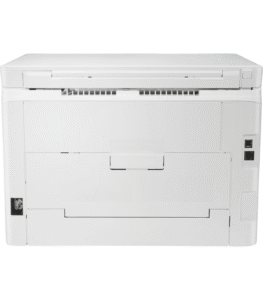 The HP MFP M182n offers a variety of connectivity options to suit different user preferences and office setups. It includes a built-in Ethernet port for wired network connections, allowing multiple users to access the printer from their computers. For added convenience, the printer also supports wireless connectivity via Wi-Fi, enabling users to print from their laptops, smartphones, or tablets without the need for physical cables. The HP Smart App further enhances the wireless printing experience by providing a user-friendly interface for managing print jobs, scanning documents, and monitoring printer status from mobile devices. Additionally, the printer features a USB 2.0 port for direct printing from USB drives, making it easy to print documents without requiring a computer. The wide range of connectivity options ensures that the HP MFP M182n can seamlessly integrate into any office environment, providing flexibility and convenience for users.
Security Features
In today’s digital age, security is a critical consideration for any office device, and the HP MFP M182n does not disappoint in this regard. The printer is equipped with a range of advanced security features designed to protect sensitive information and prevent unauthorized access. HP’s Secure Boot ensures that only genuine HP software is loaded during the startup process, safeguarding the printer from malware and other threats. The device also includes firmware whitelisting, which prevents unauthorized firmware from being installed, further enhancing its security. For network protection, the printer supports features such as IPsec and IEEE 2600.2 compliance, ensuring that data transmitted over the network is encrypted and secure. Additionally, the MFP M182n offers user authentication options, such as PIN codes and access control lists, to restrict access to specific functions or documents. These comprehensive security measures make the HP MFP M182n a reliable choice for businesses that prioritize data protection.
Energy Efficiency and Environmental Considerations
The HP MFP M182n is designed with energy efficiency and environmental sustainability in mind. The printer is ENERGY STAR® certified, meaning it meets strict energy efficiency guidelines set by the U.S. Environmental Protection Agency. This certification ensures that the device consumes less power during operation, reducing energy costs and minimizing its environmental impact. The printer also features an automatic sleep mode, which activates after a period of inactivity to further conserve energy. In addition to its energy-efficient design, the HP MFP M182n is built using eco-friendly materials and processes. HP’s commitment to sustainability is evident in its use of recycled plastics and other environmentally responsible materials in the printer’s construction. Furthermore, the device is compatible with HP’s Planet Partners program, which allows users to return used toner cartridges for recycling, reducing waste and promoting a circular economy. By choosing the HP MFP M182n, users can enjoy high-performance printing while contributing to a more sustainable future.
Ease of Use and User Interface
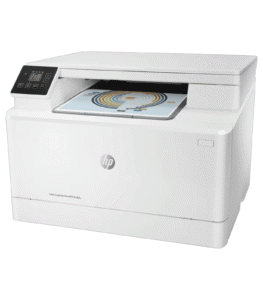 The HP MFP M182n is designed to be user-friendly, with an intuitive interface that simplifies operation for users of all skill levels. The 2-line monochrome LCD display provides clear and concise information, guiding users through various tasks such as printing, scanning, copying, and faxing. The control panel is logically laid out, with easily accessible buttons for common functions. For added convenience, the printer supports one-touch shortcuts for frequently used tasks, allowing users to complete their work quickly and efficiently. The HP Smart App further enhances the user experience by providing a mobile-friendly interface for managing print jobs, scanning documents, and monitoring printer status. The app also offers helpful features such as mobile printing, firmware updates, and troubleshooting guides. Additionally, the printer’s setup process is straightforward, with clear instructions and automated tools that make it easy to get started. Whether you’re a tech-savvy professional or a casual user, the HP MFP M182n ensures a hassle-free experience.